Ignition is an industrial software platform from Inductive Automation. It helps teams build SCADA—supervisory control and data acquisition—applications that connect equipment data with operator displays and business information.
Genius Innovations develops the screens, connections, workflows, and reports around your process. Start with a defined problem, then expand as your needs grow.
SEE THE POSSIBILITIES
Turn process data into a clearer picture.
Explore actual Ignition demo screens. Select a view, then open the image for a closer look.
OFFICIAL IGNITION DEMO
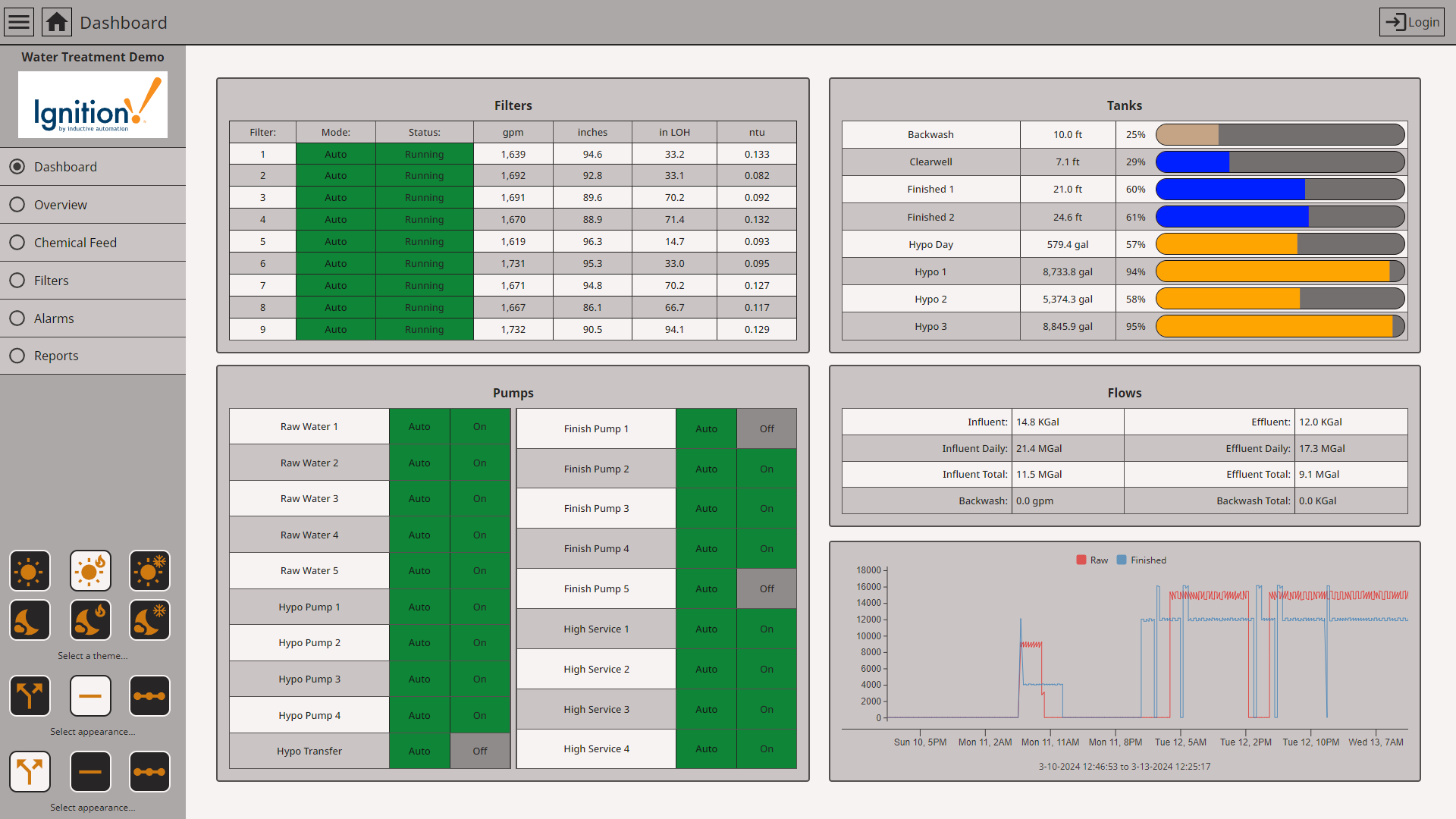
Operations at a glance
A common view for equipment, levels, flows, and status.
Help operators see what is running and where to investigate. A shared display gives operations and maintenance the same starting point.
Inductive Automation’s Water Treatment Demo · Example data
OFFICIAL IGNITION DEMO
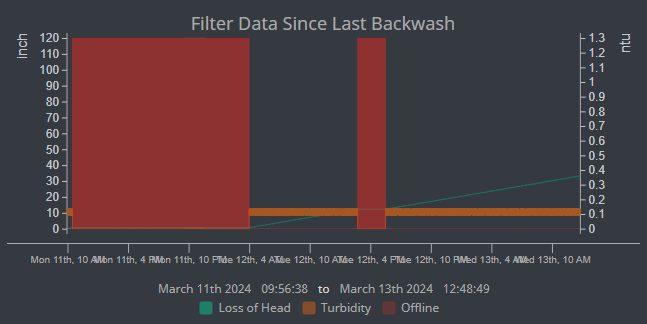
Look back. Find the pattern.
Compare measurements with operating events over time.
Use historical context to investigate recurring issues and compare process behavior before and after a change. This example shows filter measurements alongside offline periods.
Inductive Automation’s Water Treatment Demo · Example data
OFFICIAL IGNITION DEMO
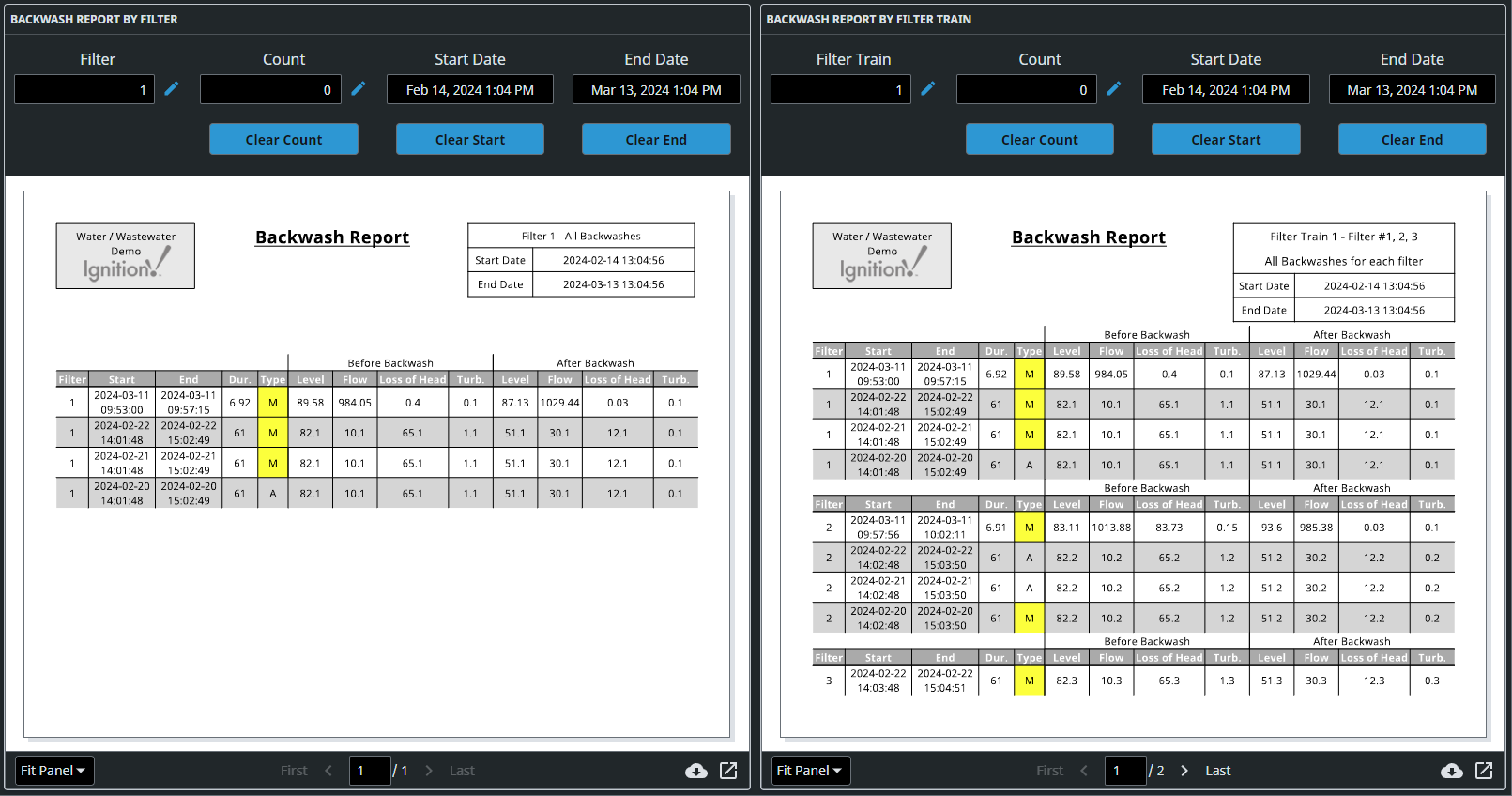
Make the record part of the process.
Bring selected operating data into a repeatable report.
Build records around the questions your team needs to answer. Similar reporting workflows can support shift summaries, equipment histories, and batch or cure-cycle records.
Bring equipment conditions, alarms, and history together so your team has more context when investigating a fault.
“Our records are scattered across paper and spreadsheets.”
Define the data and reports you need, then build collection and reporting workflows around the process.
“Our machines don’t tell the same story.”
Connect supported systems into a consistent view while preserving each machine’s assigned control functions.
BEYOND A SINGLE SCREEN
One platform. Many applications.
Combine the capabilities that fit your equipment, team, and operating goals.
01 / VISUALIZE
Operator interfaces & dashboards
Show equipment status and process conditions in context. Perspective supports responsive browser interfaces for desktops, tablets, and phones through approved network access.
02 / RESPOND
Alarms & notifications
Organize abnormal conditions, acknowledgements, and alarm history. Add notification workflows with the appropriate modules and delivery services.
03 / UNDERSTAND
History & trends
Record measurements and compare behavior over time. Investigate recurring faults, process changes, and operating conditions using an appropriately configured historian.
04 / DOCUMENT
Reports & cycle records
Build scheduled or on-demand reports from process data. Applications can include cure-cycle records, shift summaries, and operating histories tailored to your requirements.
05 / CONNECT
PLCs, devices & databases
Bring supported equipment together using device drivers, OPC UA, and SQL connections. MQTT and Sparkplug connectivity can be added through compatible modules.
06 / COORDINATE
Production & business workflows
Develop recipe interfaces, downtime tracking, and data exchange with business systems. OEE, traceability, and MES applications may use custom development or third-party modules.
07 / SCALE
From one machine to multiple sites
Choose an architecture for a standalone asset, a facility, or distributed operations. Plan gateways, network connections, storage, and recovery around the application.
08 / MANAGE
User access & maintainability
Configure roles and permissions around responsibilities. Include backups, documentation, and handover planning so your team can maintain the delivered application.
Capabilities depend on the selected Ignition edition, licensed modules, connected equipment, infrastructure, and project scope. Third-party modules and services may be required.
WHERE IT CAN HELP
Build around the process.
Manufacturing
Equipment status, production counts, downtime analysis, and quality records.
Thermal & batch processes
Recipe visibility, cycle trends, alarm review, and batch reporting.
Utilities & wastewater
Pump status, tank levels, flow trends, and operator dashboards.
Facility operations
Boiler, chiller, compressed-air, and energy data in a common view.
Illustrative applications; scope and suitability are evaluated for each project.
WORK WITH GENIUS INNOVATIONS
From requirements to a usable system.
We help define the application, connect equipment, develop Ignition screens and reports, coordinate PLC integration, and verify the agreed functions through testing and handover.
We plan access and deployment with your IT team. PLCs and dedicated protection systems retain their assigned control and safety functions; Ignition supplies the supervisory and information layer.